
Excel sheetを作る
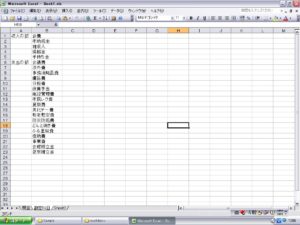
フォームを作成
ラベル・テキストボックス・リストボックス・コマンドボタン
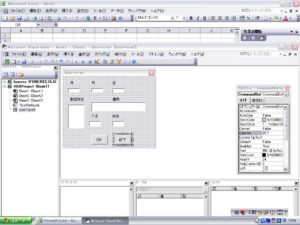
イベントプロシジャーの作成
Option Explicit
——————–
Private Sub UserForm_Initialize()
‘リストボックスへのデータ表示
ListBox1.List = Sheets(“勘定科目”).Range(“B1:B23”).Value
‘月日の初期値
TextBox1.Text = Year(Now())
TextBox2.Text = Month(Now())
TextBox3.Text = Day(Now())
End Sub
——————–
Private Sub CommandButton2_Click()
‘[終了]ボタンクリック時の処理
Unload UserForm1
End Sub
———————–
Private Sub CommandButton1_Click()
Dim R As Integer
‘レコード出力位置の検出
R = Cells(3, 1).End(xlDown).Row + 1
‘フォームデータをセルに出力する
Cells(R, 1).Value = TextBox1.Text & “/” & TextBox2.Text & “/” & TextBox3.Text
Cells(R, 1).NumberFormatLocal = “yyyy/m/d”
Cells(R, 2).Value = TextBox4.Text ‘摘要
Cells(R, 3).Value = ListBox1.Text ‘勘定科目
Cells(R, 4).Value = TextBox5.Text ‘入金
Cells(R, 4).Style = “Comma [0]”
Cells(R, 5).Value = TextBox6.Text ‘出金
Cells(R, 5).Style = “Comma [0]”
If R <= 4 Then ‘残高
Cells(R, 6).FormulaR1C1 = “=RC[-2]-RC[-1]”
Else
Cells(R, 6).FormulaR1C1 = “=R[-1]C+RC[-2]-RC[-1]”
End If
Cells(R, 6).Style = “Comma [0]”
Cells(R, 7).Value = ListBox1.ListIndex ‘ID
‘入力フィールドのクリア
TextBox4.Text = “”
TextBox5.Text = “”
TextBox6.Text = “”
ListBox1.ListIndex = -1
End Sub