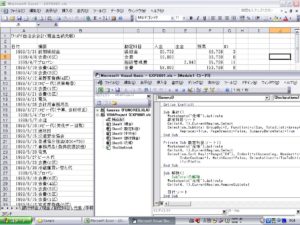
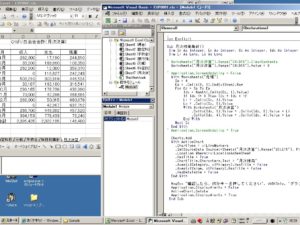
集計

.
ion Explicit

Sub 月次残高集計()
Dim Sp As Integer, Ep As Integer, Cc As Integer, Idx As Integer
Dim Li As Long, Lo As Long

‘ Worksheets(“月次決算”).Range(“C4:D15”).ClearContents
Worksheets(“月次決算”).Range(“C4:D15”).Value = 0

‘ Application.ScreenUpdating = False
With Worksheets(“元帳”)
Sp = 4
Ep = .Cells(4, 1).End(xlDown).Row
For Cc = Sp To Ep
Idx = Month(.Cells(Cc, 1).Value)
If Idx <= 3 Then Idx = Idx + 12
Li = .Cells(Cc, 4).Value
Lo = .Cells(Cc, 5).Value
With Worksheets(“月次決算”)
.Cells(Idx, 3).Value = .Cells(Idx, 3).Value + Li
.Cells(Idx, 4).Value = .Cells(Idx, 4).Value + Lo
End With
Next Cc
End With
‘ Application.ScreenUpdating = True

Charts.Add
With ActiveChart
.ChartType = xlLineMarkers
.SetSourceData Source:=Sheets(“月次決算”).Range(“B3:E15”), PlotBy:=xlColumns
.Location Where:=xlLocationAsNewSheet
.HasTitle = True
.ChartTitle.Characters.Text = “月次残高”
.Axes(xlCategory, xlPrimary).HasTitle = False
.Axes(xlValue, xlPrimary).HasTitle = False
.HasDataTable = False
End With

MsgBox “確認したら、何かキーを押してください”, vbOKOnly, “グラフシートの削除”
Application.DisplayAlerts = False
ActiveChart.Delete
Application.DisplayAlerts = True
End Sub
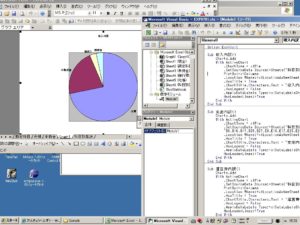
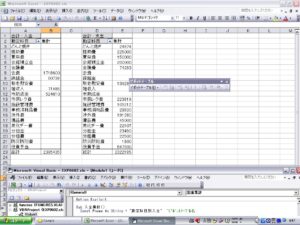
 

グラフ


Sub 収入内訳()
Charts.Add
With ActiveChart
.ChartType = xlPie
.SetSourceData Source:=Sheets(“科目別集計”).Range(“C4:C7,E4:E7”), _
PlotBy:=xlColumns
.Location Where:=xlLocationAsNewSheet
.HasTitle = True
.ChartTitle.Characters.Text = “収入内訳”
.HasLegend = False
.ApplyDataLabels Type:=xlDataLabelsShowLabel, LegendKey:=False, _
HasLeaderLines:=True
End With
End Sub


ピポッドテーブル

エラー

on error next

えらーが検出されても次の行に進む

onerror goto 0
の行まで有効

エラーが検出されるとぴポットテーブルを削除

pivottotablewizardメソッド
sourcetype:集合元ノデータxldatabase
sourcedata:集計に使用するデータ
tabledestination:配置場所

表側項目の指定
addfieldメソド:rowfields 勘定科目

集計項目

orientation  テーブルフィールド
name  合計:入金
function  合計

Option Explicit

Sub 入金集計()
Const Pname As String = “勘定科目別入金”  ‘ピボットテーブル名

‘過去に作成したピボットテーブルを削除する。
Worksheets(“科目別集計”).Activate
On Error Resume Next
‘テーブルが存在しないとエラーになる。
ActiveSheet.PivotTables(Pname).PivotSelect “”, xlDataAndLabel
‘エラーでないときのみセレクションをクリア
If Err.Number = 0 Then Selection.Clear
On Error GoTo 0

Worksheets(“元帳”).Activate
‘ SourceDataは、キー入力マクロで作成すると”元帳!R3C1:R191C7″のような
‘ 文字列指定になりますが、プログラミングではRangeで与えたほうが楽です。
ActiveSheet.PivotTableWizard _
SourceType:=xlDatabase, _
SourceData:=Cells(3, 1).CurrentRegion, _
TableDestination:=”科目別集計!R1C1″, _
TableName:=Pname

ActiveSheet.PivotTables(Pname).AddFields RowFields:=”勘定科目”
With ActiveSheet.PivotTables(Pname).PivotFields(“入金”)
.Orientation = xlDataField
.Name = “合計 : 入金”
.Function = xlSum
End With
End Sub

Sub 出金集計()
Const Pname As String = “勘定科目別出金”  ‘ピボットテーブル名

Worksheets(“科目別集計”).Activate
On Error Resume Next
ActiveSheet.PivotTables(Pname).PivotSelect “”, xlDataAndLabel
If Err.Number = 0 Then Selection.Clear
On Error GoTo 0

Worksheets(“元帳”).Activate
ActiveSheet.PivotTableWizard _
SourceType:=xlDatabase, _
SourceData:=Cells(3, 1).CurrentRegion, _
TableDestination:=”科目別集計!R1C4″, _
TableName:=Pname

ActiveSheet.PivotTables(Pname).AddFields RowFields:=”勘定科目”
With ActiveSheet.PivotTables(Pname).PivotFields(“出金”)
.Orientation = xlDataField
.Name = “合計 : 支出”
.Function = xlSum
End With
End Sub


グループ集計

勘定科目の昇順にデータソート
subtotal メソッド グループ集計
Group by パラメータは 対象列
Function パラメタ 集計方法 xlsum
TotalList パラメタ対象列4列目と5列目同時
Array(4,5)
Replace パラメタ 既存の集計表と置き換え(true)
PageBreaks パラメタ 改ページを挿入しない(False)
SummaryBlowData 集計行を詳細データのしたに表示する(true)


Sub 集計()
Worksheets(“元帳”).Activate
勘定科目ソート
Cells(4, 1).CurrentRegion.Select
Selection.Subtotal GroupBy:=3, Function:=xlSum, TotalList:=Array(4, 5), _
Replace:=True, PageBreaks:=False, SummaryBelowData:=True
End Sub

Private Sub 勘定科目ソート()
Worksheets(“元帳”).Activate
Cells(4, 1).CurrentRegion.Select
Selection.Sort Key1:=Range(“C4”), Order1:=xlAscending, Header:=xlGuess, _
OrderCustom:=1, MatchCase:=False, Orientation:=xlTopToBottom, SortMethod _
:=xlPinYin
End Sub

Sub 解除()
‘   SubTotalの解除
Worksheets(“元帳”).Activate
Cells(4, 1).CurrentRegion.RemoveSubtotal

日付ソート
End Sub

Private Sub 日付ソート()
Worksheets(“元帳”).Activate
Cells(4, 1).CurrentRegion.Select
Selection.Sort Key1:=Range(“A4”), Order1:=xlAscending, Header:=xlGuess, _
OrderCustom:=1, MatchCase:=False, Orientation:=xlTopToBottom, SortMethod _
:=xlPinYin
End Sub